You have deployed your stack with Docker Compose. Your containers are running. Everything seems to be working. But what happens when something breaks at 3 AM?
This guide covers the 6 essential dimensions of monitoring for Docker Compose, and how to set them up effectively.
This is the what-to-monitor guide. For the fastest possible install, read Monitor your Docker stack in 2 minutes; for the zero-config angle specifically, read Monitor Docker Compose without writing config files.
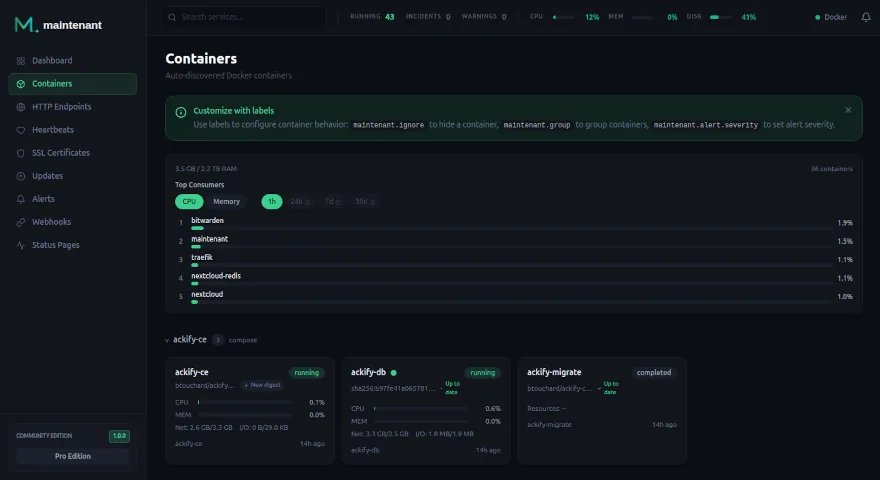
1. Container Monitoring
The most basic level: are your containers running?
What to Watch
- Container state – running, stopped, restarting, exited
- Restart loops – a container stuck in a restart loop is often worse than one that has stopped entirely
- Docker health checks – Docker’s native HEALTHCHECK is underused but extremely valuable
- Exit codes – a non-zero exit code indicates a crash, not a clean shutdown
Health Checks in Your docker-compose.yml
services:
  api:
    image: myapp:latest
    healthcheck:
      test: ["CMD", "curl", "-f", "http://localhost:3000/health"]
      interval: 30s
      timeout: 10s
      retries: 3
      start_period: 40s
Maintenant automatically reads Docker health check results and alerts you when a container transitions to unhealthy.
2. Endpoint Monitoring
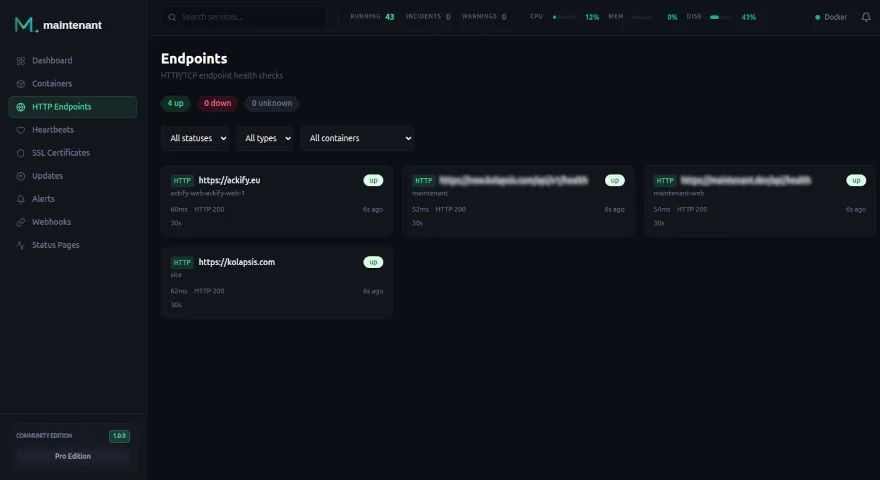
Verifying that your services respond correctly to requests.
HTTP Checks
Beyond simply asking “does it respond”, a proper HTTP check verifies:
- The status code (200, 201, etc.)
- The response time (latency)
- SSL certificate validity
With Maintenant, you configure this directly through Docker labels:
labels:
  maintenant.endpoint.http: "https://api.example.com/health"
  maintenant.endpoint.interval: "30s"
  maintenant.endpoint.http.expected-status: "200"
TCP Checks
For services that do not speak HTTP – databases, Redis, MQTT – a TCP check verifies that the port is open and accepting connections:
labels:
  maintenant.endpoint.tcp: "postgres:5432"
3. SSL Certificate Monitoring
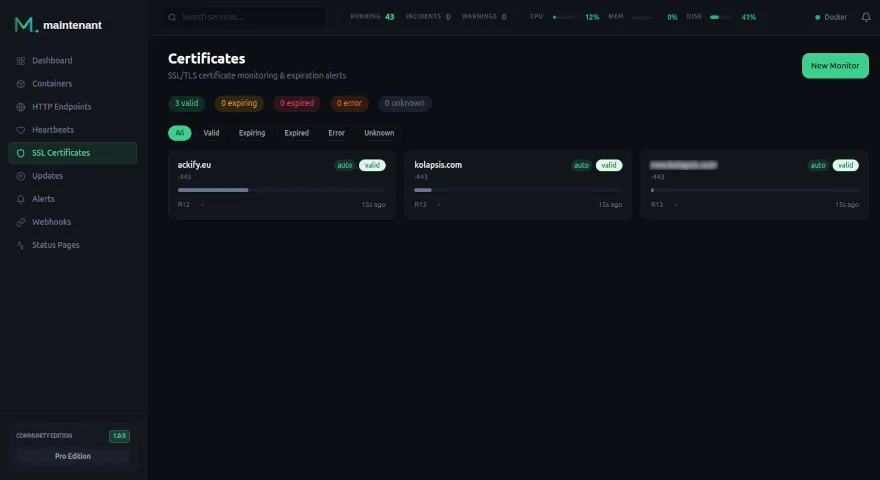
Expired certificates are one of the most common causes of preventable downtime. With Let’s Encrypt and automatic renewal, it is tempting to assume everything just works. But renewals can fail silently.
Maintenant automatically detects SSL certificates on all your HTTPS endpoints and alerts you at 30, 14, 7, 3, and 1 day before expiration.
4. Cron Job Monitoring
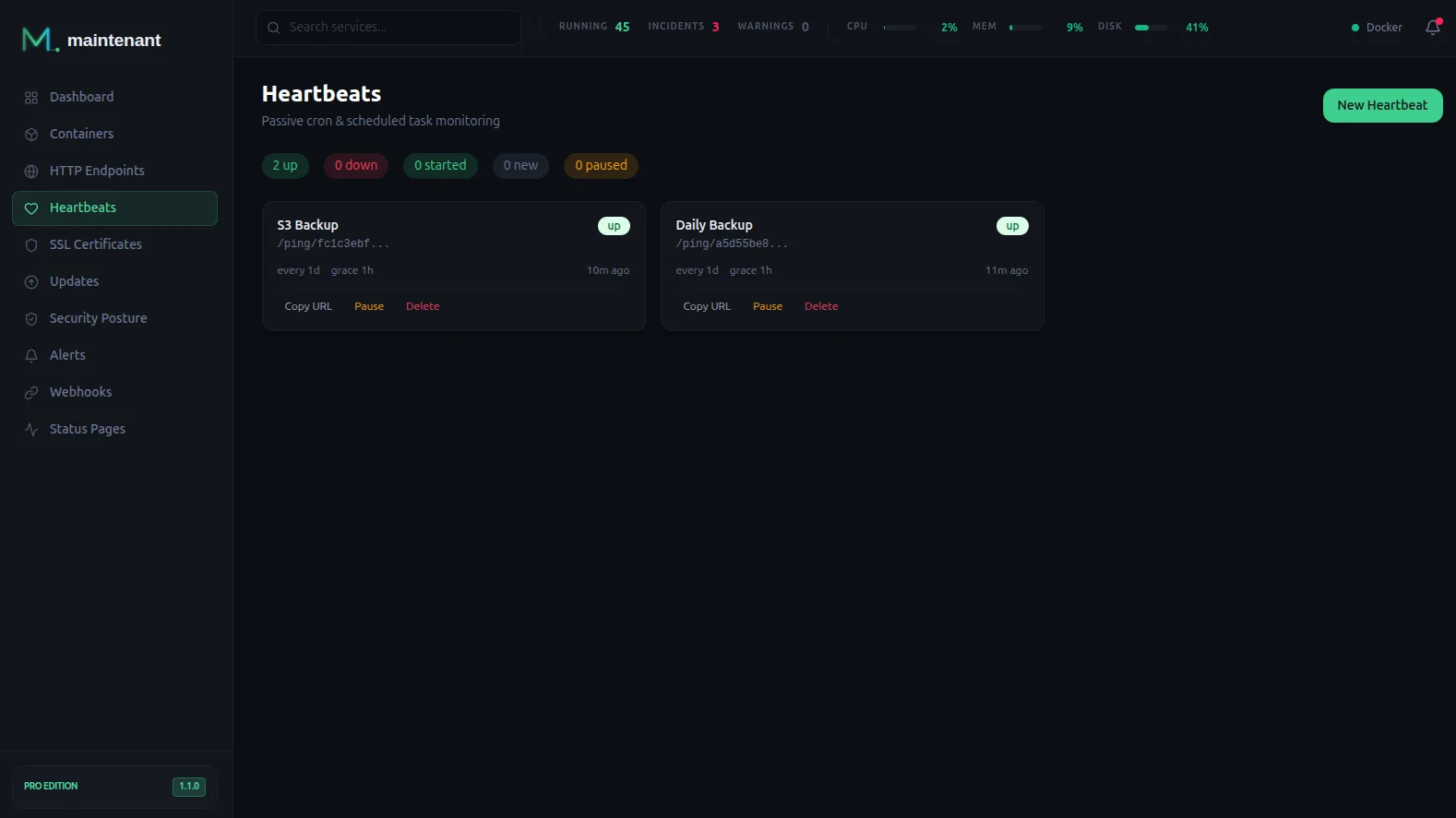
Scheduled tasks are the most overlooked services. Is your nightly backup actually running? Did your cleanup job finish successfully?
The heartbeat pattern: your cron sends a ping to a URL after each execution. If the ping does not arrive within the expected window, you get alerted.
# Add a line to your crontab
0 3 * * * /usr/local/bin/backup.sh && curl -fsS -o /dev/null https://now.example.com/ping/{uuid}/$?
5. System Resource Monitoring
Critical Metrics
- Disk space – a full disk can crash your database
- Memory usage – per container and per host
- CPU – to detect abnormal spikes
- Network I/O – to identify congestion
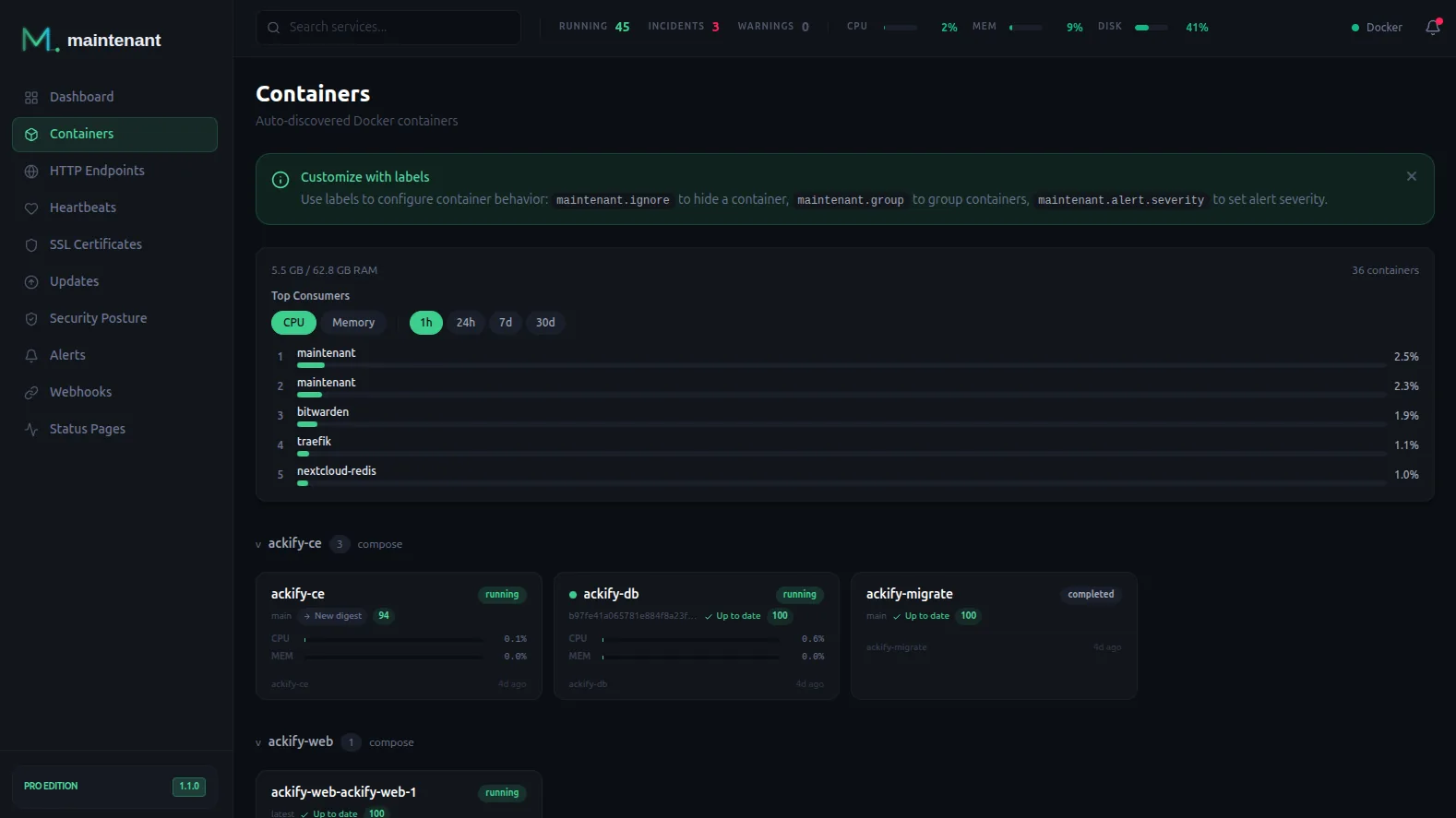
Maintenant collects these metrics via the Docker stats API and displays them in real time with historical graphs.
6. Update Detection
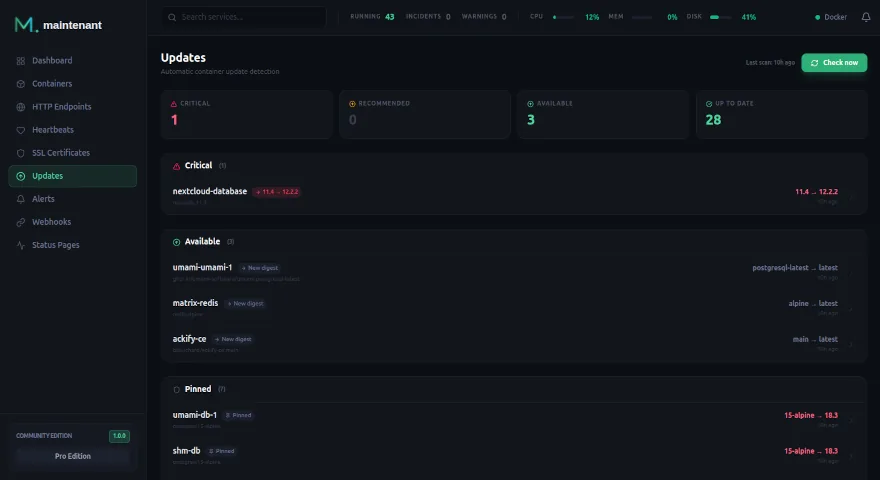
Knowing that a security update is available for your PostgreSQL or Redis image is critical. Maintenant scans OCI registries and compares digests to alert you when updates are available.
Setting It All Up in 30 Seconds
With Maintenant, all 6 monitoring dimensions are covered by a single container:
services:
  maintenant:
    image: ghcr.io/kolapsis/maintenant:latest
    ports:
      - "8080:8080"
    volumes:
      - /var/run/docker.sock:/var/run/docker.sock:ro
      - /proc:/host/proc:ro
      - maintenant-data:/data
    environment:
      MAINTENANT_ADDR: "0.0.0.0:8080"
      MAINTENANT_DB: "/data/maintenant.db"
    restart: unless-stopped

volumes:
  maintenant-data:
Your containers are discovered automatically. Add labels for endpoints and alerts. That is it.
Install Maintenant –> · Compare editions →